Config Sync reads the same setup from two Oracle Fusion environments, shows row by row what one has and the other does not, and moves the missing setup across when you say so. All inside VS Code.
Free for 3 months · Windows · macOS · Linux · Python included · Nothing changes until you confirm it
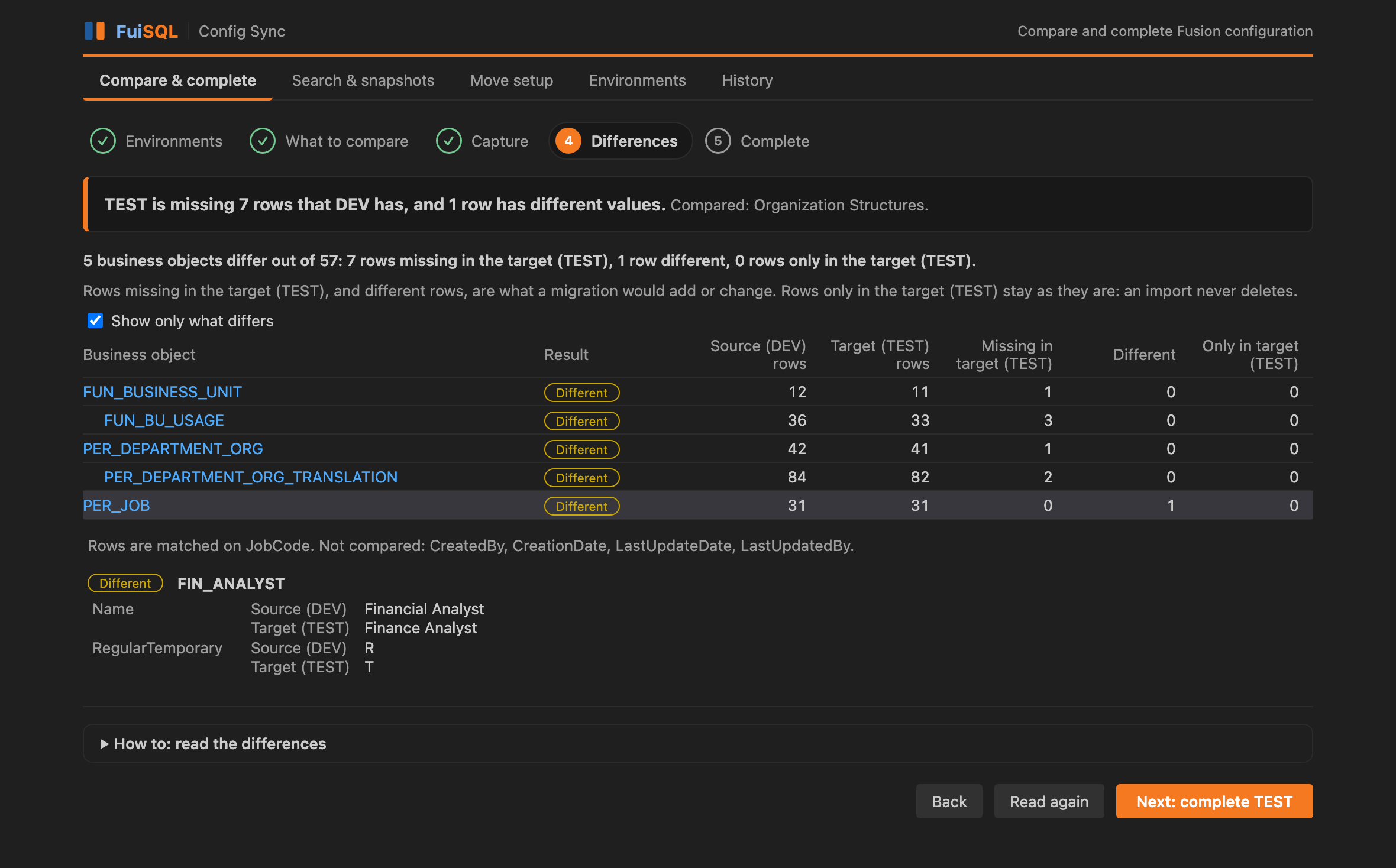
The Differences step — the extension’s own interface, shown with sample data.
Why
Setup built and tested in one environment has to be rebuilt in the next. Doing it by hand means comparing screens, keeping a spreadsheet of what is left, and hoping nothing was missed. Config Sync finds the gaps and fills them from the environment that already has it right.
A fresh TEST or UAT pod needs the setup DEV already has. See exactly what is missing and move it, one functional area at a time.
Confirm that the next environment matches the one you tested, complete what does not, then compare again to prove it.
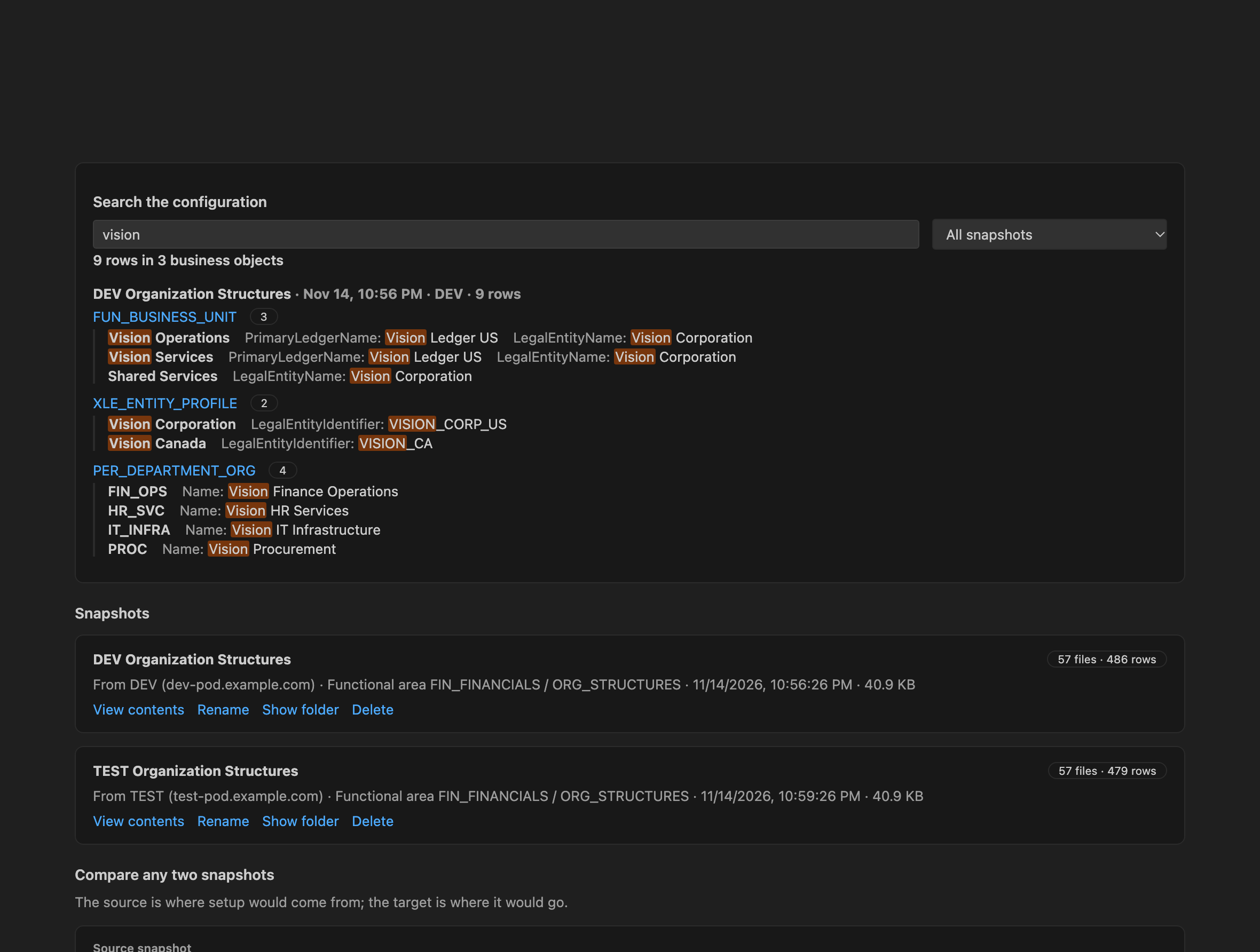
Search every value in the setup you captured, such as a business unit, ledger or lookup code, without opening a single Fusion screen.
How it works
A guided wizard walks you through five steps, with a short “How to” on each. Everything up to the last step only reads from Fusion.
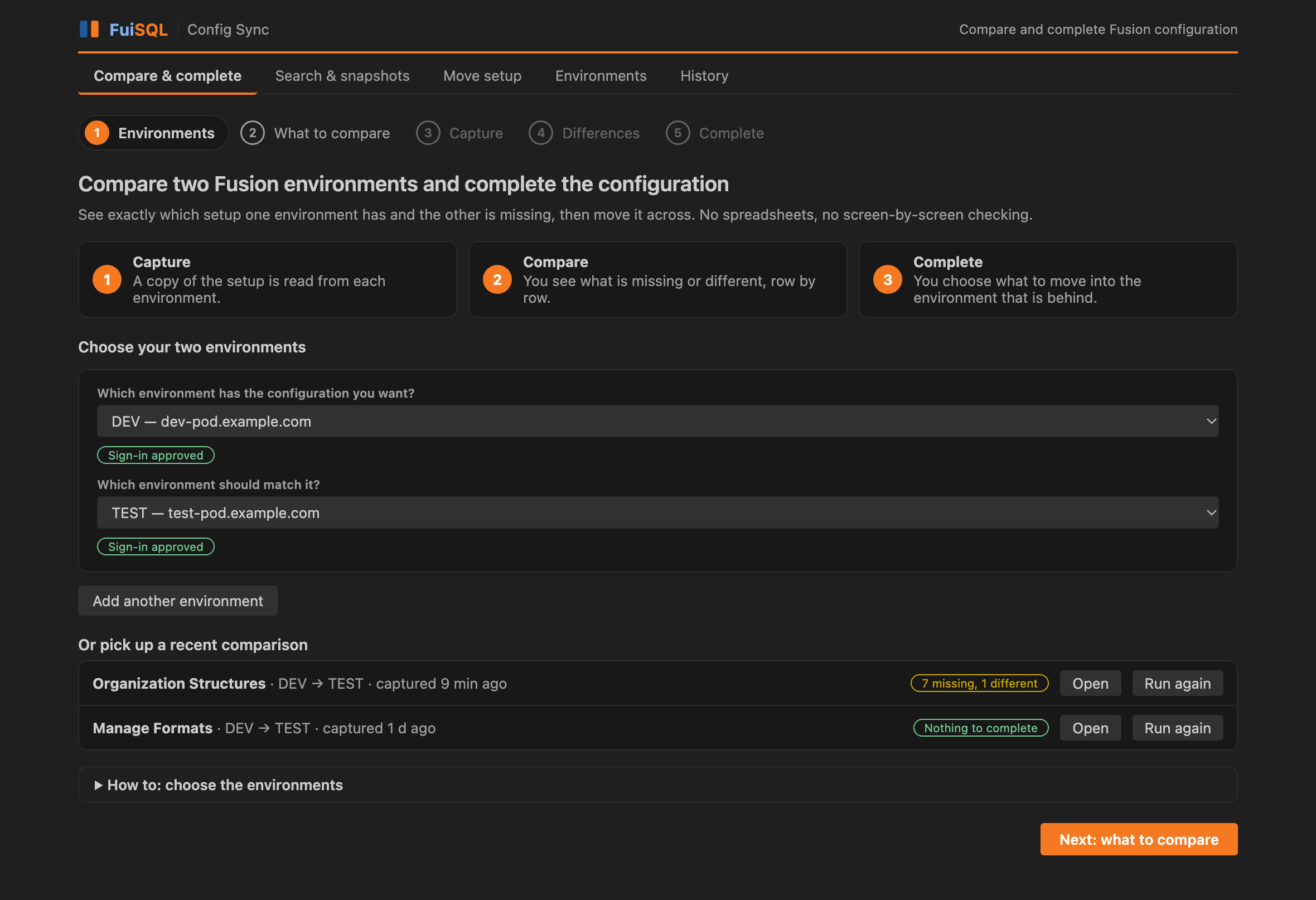
Say which environment has the configuration you want, and which should match it. Recent comparisons are listed below, ready to open or run again.
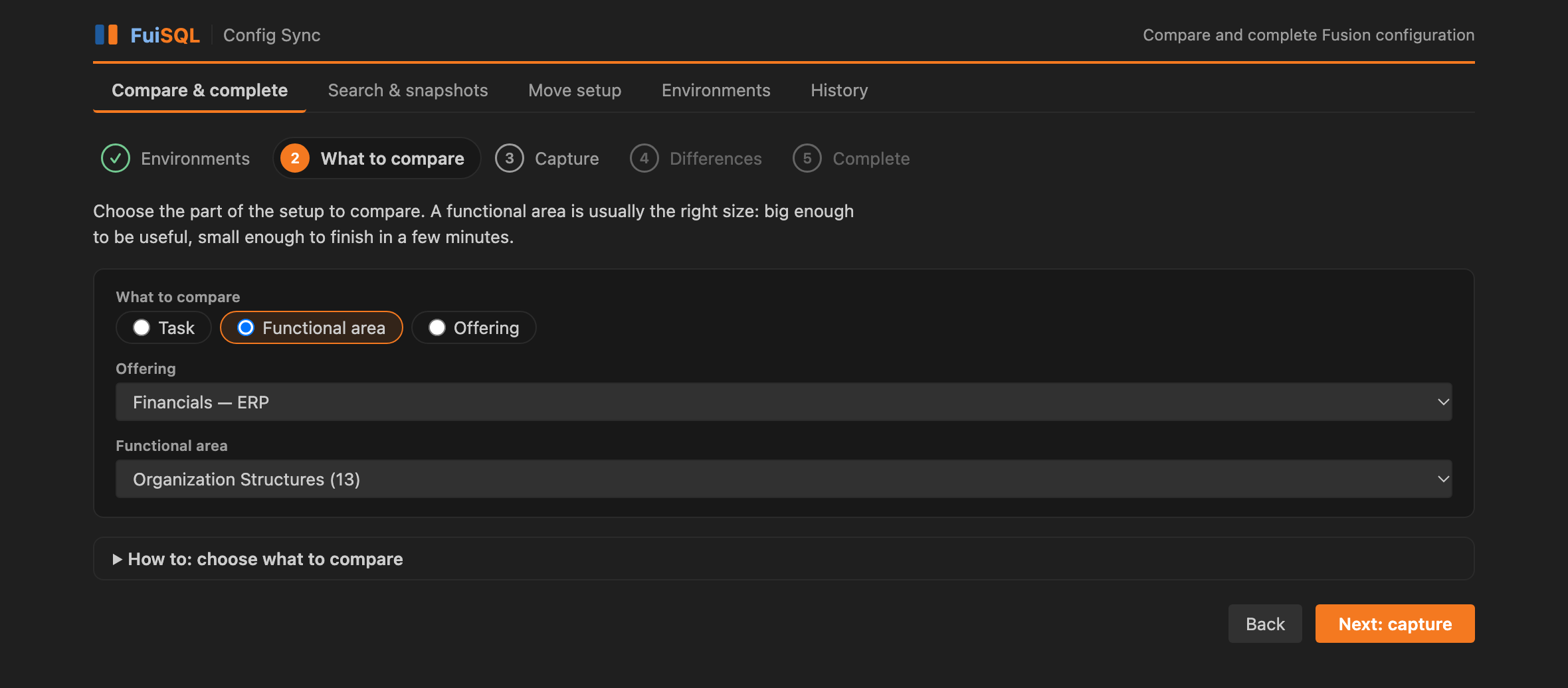
A functional area is usually the right size: big enough to be useful, small enough to finish in a few minutes.
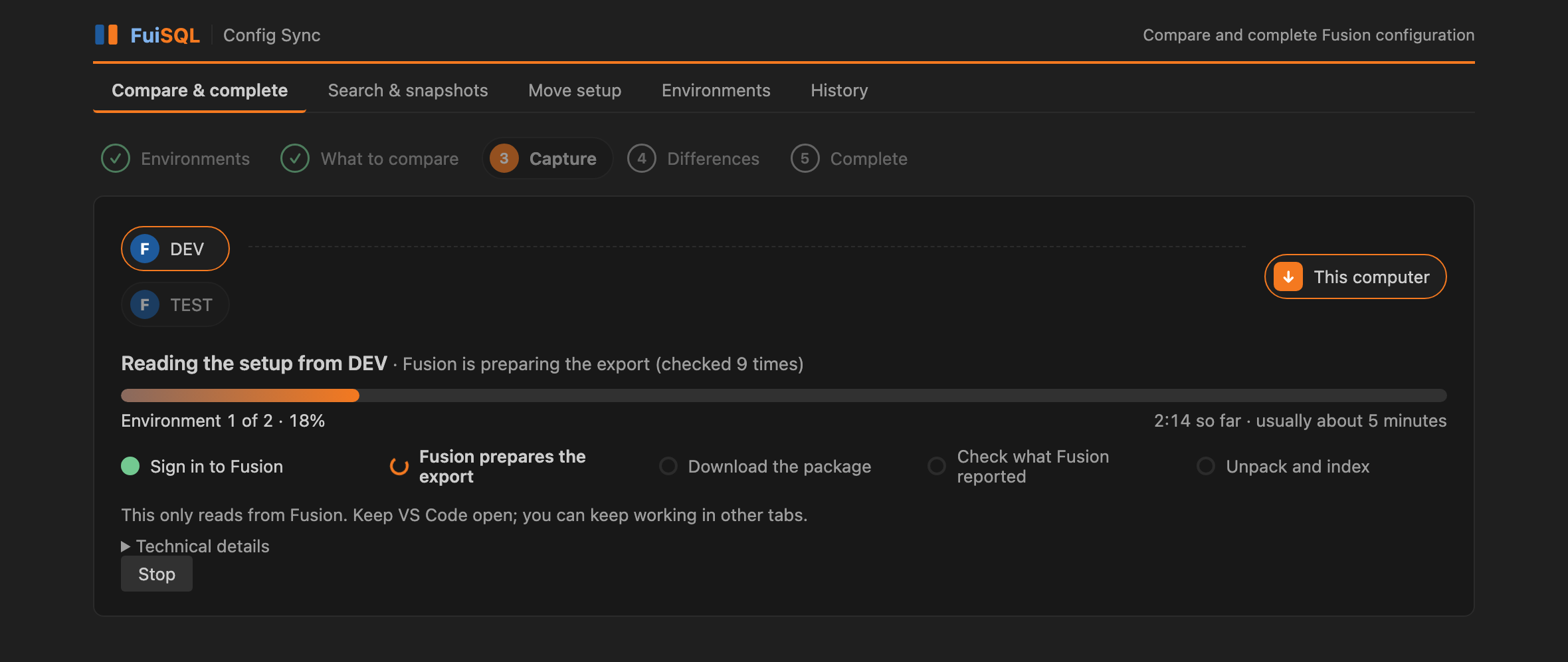
A copy of that setup is read from each environment and kept on your computer. You see which environment is being read and which stage it has reached.
One sentence says where you stand. Below it, each business object shows how many rows are missing in the target, different, or only there.
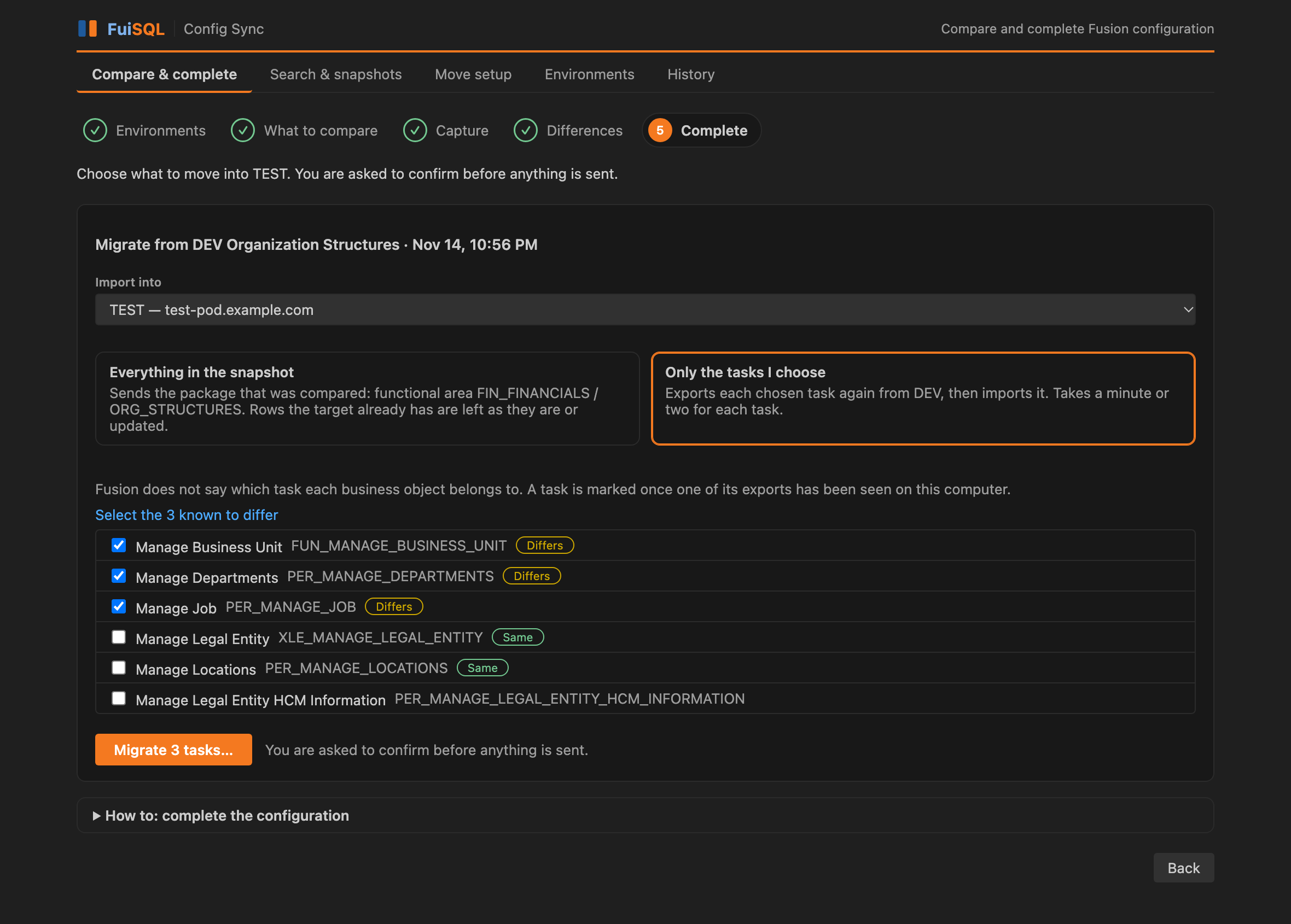
Send everything that was compared, or only the tasks you tick. One dialog names the source and the target before anything is sent.
Features
Config Sync is a native VS Code extension: a side bar with your environments and recent comparisons, and a wizard that does the work.
Missing in the target, different, or only in the target, for every business object, with the values side by side and the two environments named.
Send everything that was compared, or only the tasks you tick, into the environment that is behind. Fusion’s own result is shown: objects and rows processed, failed and warned.
Find a value anywhere in the setup you captured, across environments, with the business object and row it sits in.
Open an earlier comparison again in one click, or run it again with fresh data. The side bar shows what each one found.
Every environment starts read-only. You switch imports on for a target, and a dialog names source and target before each run.
See which environment is being read and which stage it has reached. A dropped connection is retried on the same export instead of starting over.
Browse and search every offering, functional area and setup task, see where a task is used, and follow the HCM setup order. Works offline.
Each step says what to do and why. The environment form includes the OAuth steps and can copy them for your administrator.
Platform builds include their own Python, with certificate settings for company networks that inspect HTTPS traffic.
Security & privacy
A tool that can change an environment has to be careful by design. This is how Config Sync is built.
You authenticate on Oracle’s own page. Passwords are never entered in VS Code or stored by the extension.
Setup is captured, compared and searched locally. FuiSQL does not receive your setup data, and the extension sends no usage telemetry.
Imports are switched off for every environment until you turn them on. Leave them off for production and it can only ever be read.
Nothing is sent to an environment without a dialog that names the source and the target. An import adds and updates; it never deletes.
Built on Oracle’s registry
Config Sync bundles a pinned copy of the setup export and import scripts from Oracle’s Fusion Setup and Configuration Registry (FSCR), verified by hash on every build, and puts a guided VS Code experience on top of them. New to FSCR? Read what FSCR is.
“FSCR is separately released sample and reference material for planning and configuring Oracle Fusion Cloud implementations.”
“Meet the Oracle Fusion Setup and Configuration Registry, or FSCR (fi-skur) for short.” An “open source collection of AI skills, scripts, and reference workflows.”
FSCR is released by Oracle under the Universal Permissive License (UPL) 1.0. It is not an Oracle Fusion Cloud product feature. Config Sync is an independent FuiSQL product and is not affiliated with or endorsed by Oracle.
Get started
The one-time work is an OAuth client in each environment. The extension explains every field as you go. Already use Fusion Compare? Config Sync can import the environments you set up there.
Get it from the VS Code Marketplace. VS Code picks the build for your platform (Windows, macOS or Linux).
Create a public client in Oracle Identity Cloud for each environment. Step-by-step guide.
Fill in the short form in step 1 of the wizard, use a properties file, or import from Fusion Compare.
Choose what to compare, read the differences, and move what is missing.
OAuth setup
Config Sync signs in to Fusion the way a mobile app would, through your browser. That needs a small OAuth client, registered once for each environment. It holds no password. You, or your Identity Domain administrator, create it in the Oracle Cloud console. The extension shows the same steps in its form, and can copy them as text to send to your administrator.
FuiSQL Config Sync) and Submit.http://127.0.0.1:8765/oauth/callbackDEV, TEST or UAT. Letters, digits, ., _ and -, up to 30 characters./ only, for example https://your-pod.fa.us2.oraclecloud.com. It must start with https:// and have no path. It is not the Oracle Cloud console address or the identity (login) address.127.0.0.1 and port 8765.Free for 3 months
Start the trial from the extension and the rest is automatic: no key to copy. No card. Without a key you can compare and move one setup task at a time. The trial, and any plan after it, unlocks whole functional areas and offerings.
Your trial key
That is it. Config Sync picks the key up by itself within a few minutes. To do it now, open the extension, go to the License section and choose Check for license. Pasting the key is only needed if that does not work: use Machine ID and manual key in the same section.
After the trial. Paid plans are checked out securely and the key is emailed to you.
Several seats or an invoice? See Teams & Sales. Questions: [email protected].
FAQ
The FuiSQL family
Run SQL directly against your Oracle Fusion Cloud environment through BI Publisher, with schema-aware IntelliSense, join suggestions, drill-down and one-click export.
Explore FuiSQL →Compare Oracle Fusion setup between two environments, task by task, and review exactly what differs.
Explore Fusion Compare →Compare two environments, see what is missing row by row, and move it across.
You are here